Displaying a Permit on the Windscreen
A permit can be easy to miss when it is stuck behind tint, placed on the wrong vehicle, or confused with an OHV registration sticker. For California’s Imperial Sand Dunes, the important thing is to display the permit as its instructions require and keep it visible for inspection. Here’s how to avoid common mix-ups and what to check before you ride.
Which permit belongs on the windscreen
At the Imperial Sand Dunes Recreation Area, the permit used for dune access is separate from the registration or identification required for an OHV. A permit may be a decal intended for display on the windscreen of the vehicle associated with the permit. Use the placement instructions that come with the permit: they control where and how it should be displayed.
This distinction matters because riders may be carrying several different documents or decals. A California OHV plate or registration decal identifies a machine for registration purposes; it is not a substitute for a separate area-use permit. Likewise, a permit does not replace the machine’s registration or other required identification. See California Permits for California Dunes — no, instead link exact title from list: BLM Permits for California Dunes is not exact listed. Use California’s Nonresident OHV Use Permit perhaps separate permit, and ISDRA Permits and California’s October Season. Also registration link.
If you are visiting and need to determine whether your machine’s out-of-state registration or permit covers California riding, check California OHV Reciprocity: Only Two States. For dune-area entry requirements, ISDRA Permits and California’s October Season explains the separate permit system. Keep in mind that California OHV registration and a dune permit solve different problems.
| Item | What it is for | What to do with it |
|---|---|---|
| ISDRA dune permit | Area-use authorization for the covered vehicle or visit | Display it in the location and manner specified with the permit |
| OHV registration or identification | Identifies a machine under applicable registration rules | Keep the machine’s required plate or sticker in its required location |
| Purchase confirmation or receipt | Helps document a permit purchase | Keep it available, but do not assume it replaces a required displayed permit |
| Phone photo or digital copy | Backup proof of your purchase or permit details | Keep it as a backup, not as a substitute for a physical display requirement |
A windscreen permit is not a general permission slip for every machine in the group. Read the permit terms closely to confirm which vehicle it applies to, whether it covers a tow vehicle, and whether each vehicle entering the area needs its own authorization. If you have a truck, trailer, and OHV, do not assume one permit automatically covers all three. The rules can depend on the permit type and the current instructions.
If the instructions say to attach a decal, treat that as a physical display requirement. Saving the email or taking a screenshot is sensible, but it may not meet the display requirement by itself. For the broader rules, see California’s Nonresident OHV Use Permit and California OHV Permit for Out-of-State Riders.
How to display the permit clearly
Start by reading the permit itself and any instructions provided when you bought it. Look for the required vehicle, display surface, and placement. Avoid relying on a placement you remember from a previous trip: permit products and instructions can differ, and the current directions are the ones to follow.
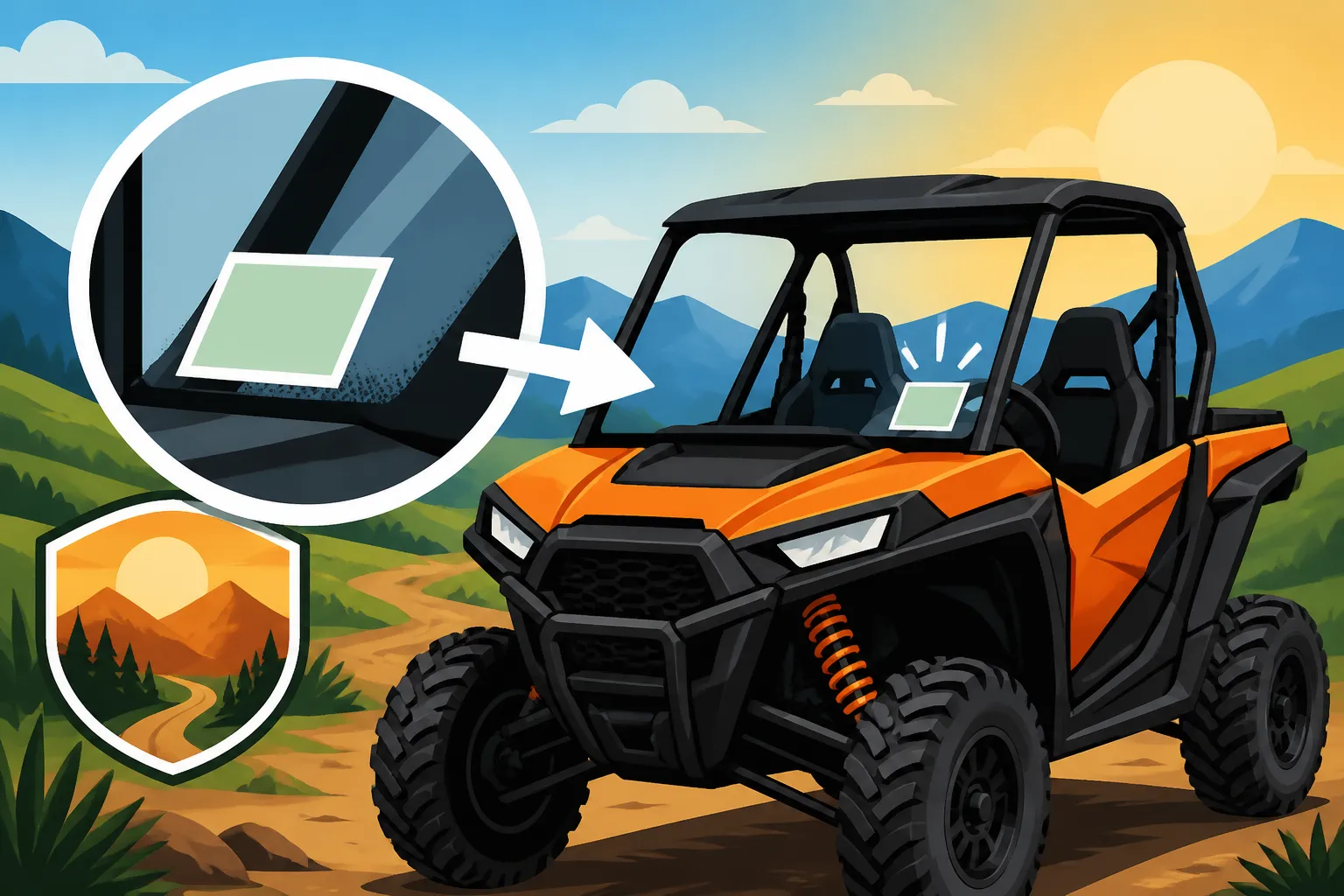
If the permit is a windshield decal, place it where it can be seen from outside the vehicle and where it will not obstruct the driver’s view. Do not put it behind a dark tint strip, behind a sunshade, or somewhere hidden by a dashboard accessory. If the instructions specify a particular side or location, follow that direction rather than choosing the most convenient spot.
A clean, dry surface helps an adhesive decal stay in place. Before applying it, check that you have the correct permit for the vehicle and visit. Remove dust or residue from the intended area, then apply the decal according to its instructions. Do not cut it, fold it, tape over identifying details, or move it to another vehicle unless the permit terms specifically allow that. If the decal is damaged or will not adhere, contact the issuing provider for guidance instead of improvising a display method.
A quick pre-trip check can prevent a frustrating stop at an entry point:
- Match the permit to the vehicle it covers.
- Confirm that the permit is valid for the visit and area.
- Read the display instructions before removing the backing.
- Place the decal as directed, in a spot visible from outside.
- Check that the permit details are readable and not covered.
- Keep the receipt or confirmation separately as backup documentation.
If your vehicle has no conventional windshield, or the permit instructions do not clearly fit your vehicle, do not guess. Ask the permit provider or the managing agency how that permit should be displayed for your setup. A side-by-side, tow vehicle, or other vehicle may have different surfaces and permit terms. The answer should come from the permit instructions or the responsible agency, not from another rider’s assumption.
Common display mistakes and how to avoid them
The most common mistake is treating all stickers as interchangeable. California OHV registration, an out-of-state permit or registration, and an ISDRA dune permit may all relate to riding, but they are not the same document. Confirm the purpose of each before leaving home. California’s Nonresident OHV Use Permit is particularly useful if you are deciding whether a California permit is needed for your machine; a dune-area permit is a separate question.
Another avoidable error is applying the permit to the wrong vehicle. A rider may place it on the OHV because that seems intuitive, even when the instructions call for display on a vehicle windscreen. Check the wording carefully. If the permit is tied to a particular vehicle, keep it with that vehicle and do not transfer it to a friend’s truck or another machine.
A permit can also be technically present but difficult to verify. Placement behind tinted glass, a cluttered dashboard, a windshield cover, or other obstruction may make it hard to see. Display it in the specified spot and keep that area unobstructed. If you use a removable shade or cover while parked, make sure the permit is visible when the vehicle is being checked.
Do not assume an electronic confirmation alone is enough. A receipt can help resolve a question about a purchase, but it may not replace a decal that the permit terms require you to display. Similarly, a photo of a decal is not the decal itself. Carry a copy of the confirmation as a backup while following the physical display directions.
Finally, do not assume that one permit covers every vehicle in a convoy. The driver of the tow vehicle and the riders on separate machines should verify which permits apply to each vehicle. The permit’s terms, not the number of people in the group, determine what it covers. For more on purchase options, read Buying an ISDRA Permit Online and On-Site Versus Off-Site Weekly Permits. If you are unsure whether the tow vehicle needs a separate permit, check Does the Truck That Towed You Need a Permit? before your trip.
What to check before entering the dunes
Before you head out, verify that the permit is valid for the dates and area you plan to visit. Check the current instructions from the permit seller or managing agency, especially if the permit was purchased online, issued for a specific vehicle, or mailed separately. If a permit is damaged, missing, or attached incorrectly, resolve the issue before arriving rather than assuming a receipt or verbal explanation will be accepted.
Keep permit documents together, but separate them from vehicle-registration paperwork so you can identify each quickly. A small folder in the tow vehicle works well for receipts, confirmation messages, and registration documents. The display decal should remain on the required surface; storing it in the folder instead does not satisfy a display instruction.
For travel with multiple OHVs, make a simple list of the vehicles and the permits or registrations each one needs. Confirm whether a permit is linked to a particular license plate, vehicle, or visit. That check is especially helpful when borrowing a tow vehicle, changing vehicles after purchase, or coordinating a group trip. A permit attached to one vehicle should not be presumed to transfer with the driver.
If a ranger or entrance attendant cannot see the permit, remain calm and show the purchase information you have while explaining where the permit is displayed. If it is obscured, move the obstruction if safe to do so. If the permit is missing or the display rules are unclear, follow the attendant’s direction and contact the issuing provider for a definitive answer. Avoid removing or relocating a decal in the field unless you have confirmed that doing so is allowed.
A practical final check is simple: the right permit, for the right vehicle and dates, displayed exactly as directed, with registration and proof of purchase kept separately. That approach makes it easier to demonstrate compliance and avoids relying on a sticker that looks similar but serves a different purpose.
Disclaimer
This article is for general informational purposes only and does not constitute professional advice. Laws, prices and regulations vary by location and change over time. Consult a qualified professional for guidance on your specific situation.